

















Microsoft’s recovery systems helped spread the outage they were supposed to contain.
Microsoft’s preliminary report, dated Nov. 15, explains how a months-old software defect contributed to the Nov. 12–13 Microsoft 365 outage. The disruption blocked access to Exchange Online mailboxes and delayed email delivery for nearly 24 hours, while also affecting Exchange-dependent features in services including Defender and Purview.
For security teams, the failure raises a practical concern: whether incident notifications and response procedures can remain available when the services supporting them go down.
Extra traffic exposed a dormant software defect
According to Microsoft's preliminary post-incident report, the problem originated in a July Windows software fix for servers that handle Microsoft 365 connections. Under certain conditions, competing operations within the software consumed excessive processing power and memory until the servers stopped responding.
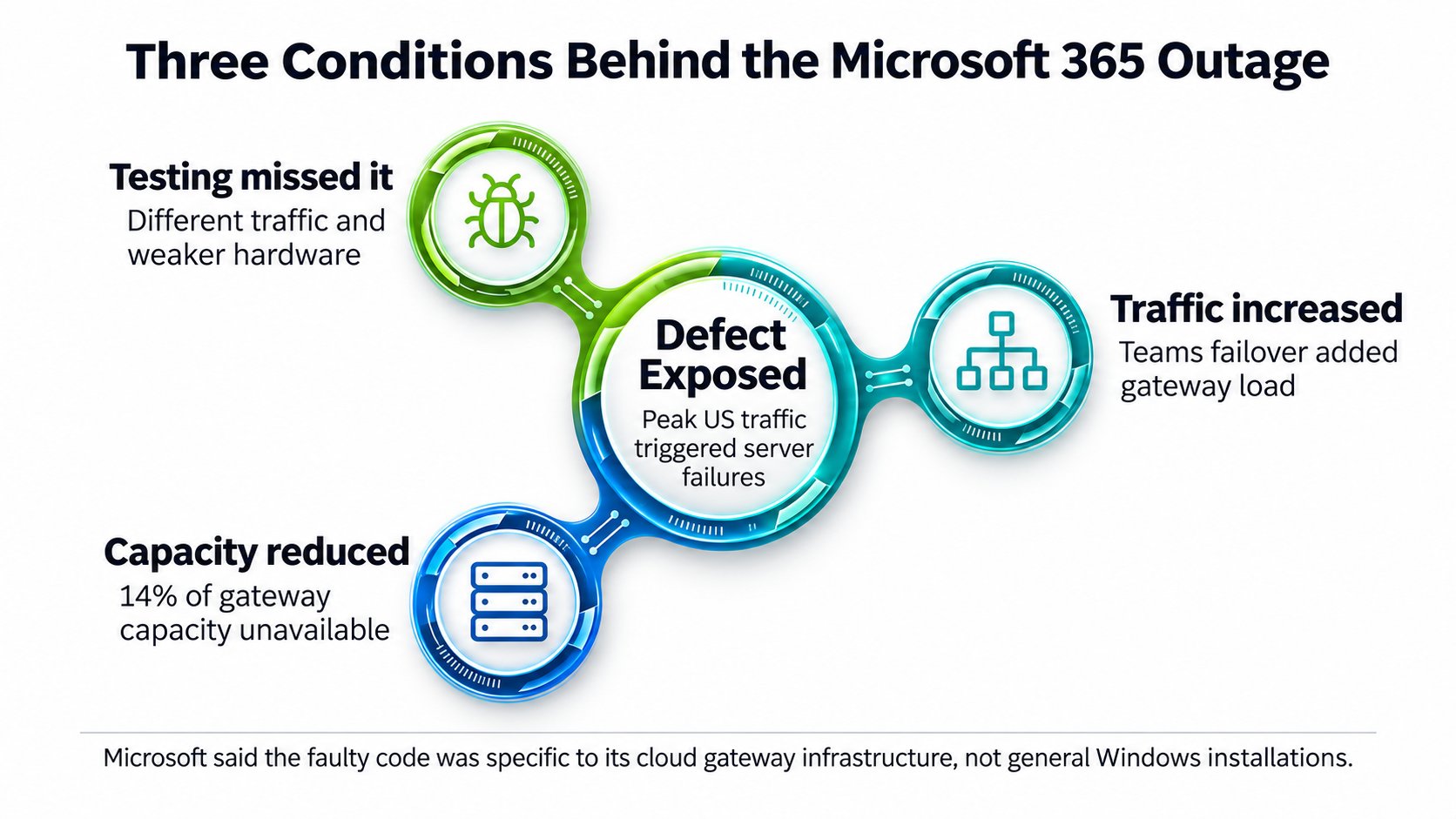
These conditions brought the defect to the surface:
- A bug missed during testing. Microsoft’s tests used different traffic patterns and less powerful machines, missing a problem that worsened on newer servers with more processor cores. The findings highlight why the patch management process should include testing under representative production conditions.
- A sudden increase in traffic. About 15 hours before the outage, a routine Teams failover moved additional traffic onto the gateway shared with Exchange Online.
- Less capacity available. Nearly 14% of gateway capacity was already unavailable because of an unrelated issue, leaving fewer servers to handle the increased demand.
Combined, they exposed the defect during peak US traffic hours. Microsoft confirmed that the faulty code was specific to its cloud gateway infrastructure and did not affect ordinary Windows installations.
Automatic recovery pushed the failure across regions
Traffic management systems were supposed to keep services available when servers stopped responding. Instead, they redirected connections to healthy machines, increasing workloads until those servers encountered the same defect. Within two hours, the defect had spread across the gateway fleet. At the worst point, more than 80% of its servers were unresponsive.
Safeguards intended to contain failures within separate infrastructure partitions also failed to stop the spread. The preliminary account does not fully explain why. Teams and SharePoint could move to alternative gateways and recovered sooner, but Exchange Online could not make the same switch at the required scale. Mailbox access and email delivery remained severely affected.
Restarting failed servers brought little relief. Waiting traffic quickly overwhelmed them again, while standard rollback mechanisms could not easily reverse a software change deployed months earlier. Engineers eventually developed an update restoring the previous working code and brought server groups back online in stages.
Microsoft has since increased capacity and introduced additional monitoring and traffic-management safeguards. A final report detailing longer-term corrective measures is expected Nov. 20.
Check whether incident response depends on Exchange
For security teams, the concern extends beyond employees losing access to their inboxes. Microsoft identified Exchange-dependent Defender and Purview features among the affected services.
An organization’s own response procedures can introduce additional dependencies. Microsoft Defender XDR lets administrators configure email notifications for incidents, including notifications based on alert severity. A security operations center routing those messages to an Exchange Online mailbox could have trouble receiving or accessing them during an Exchange outage.
That is a potential failure scenario, rather than a confirmed finding that this outage caused organizations to miss threats. Detection, notification delivery, and analyst access are separate stages; teams need to establish which remains available in their environment.
If your organization uses this arrangement, three checks can help identify whether an Exchange outage would interrupt your response:
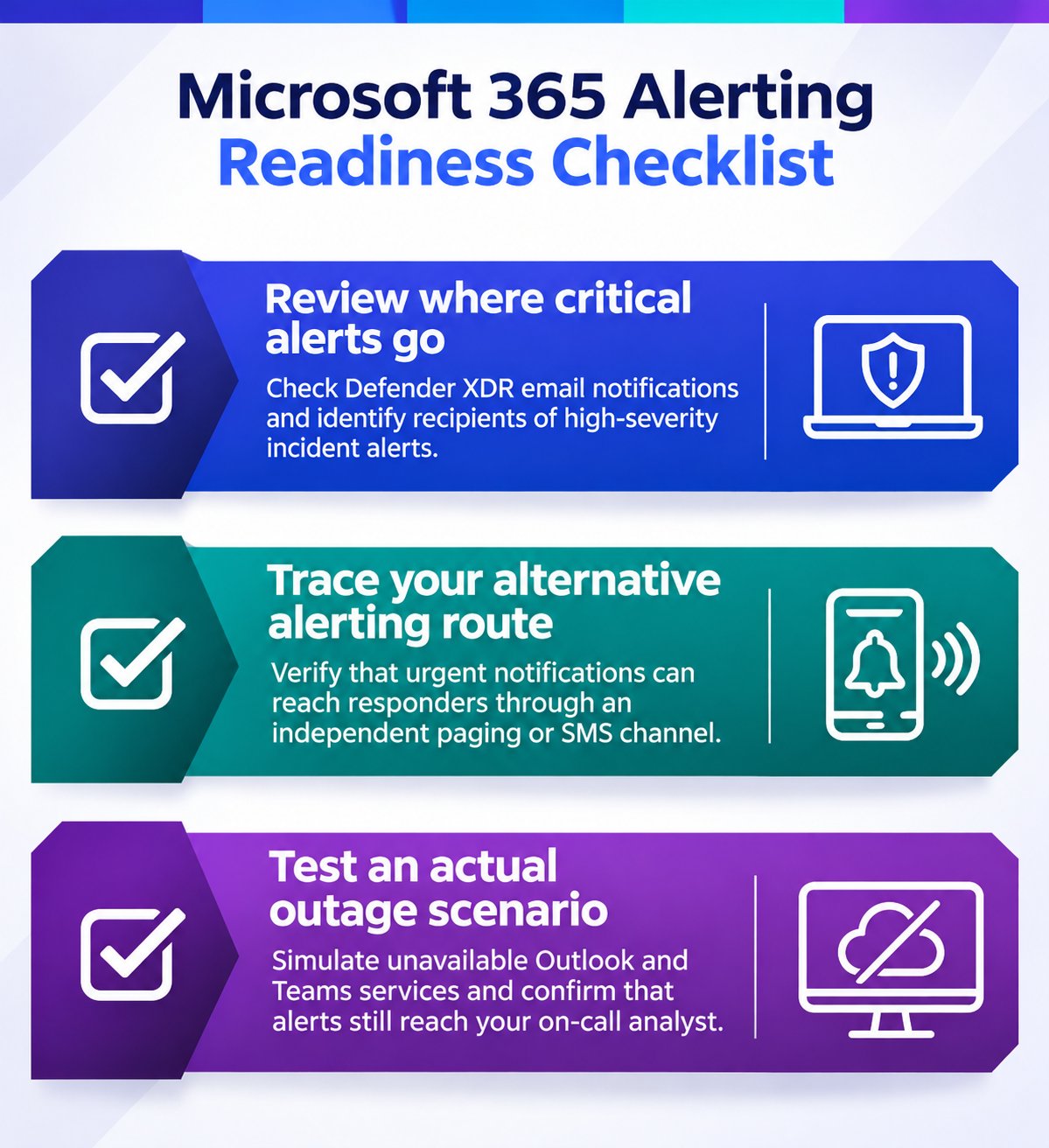
Organizations affected by the November outage should also review whether communication failures delayed their response to actual incidents. Compare Microsoft Defender XDR incident timestamps with notification delivery and acknowledgment records from the SIEM or incident management platform, where available.
Use the post-incident review to distinguish delayed notifications, inaccessible investigation tools, and any verified monitoring gaps. Update the incident response plan with what failed, assign corrective actions, and retest the response process after changes are made.
Related reading: From delayed threat investigations to interrupted compliance processes, Microsoft's outage exposed several operational risks. See what security teams should review.