
















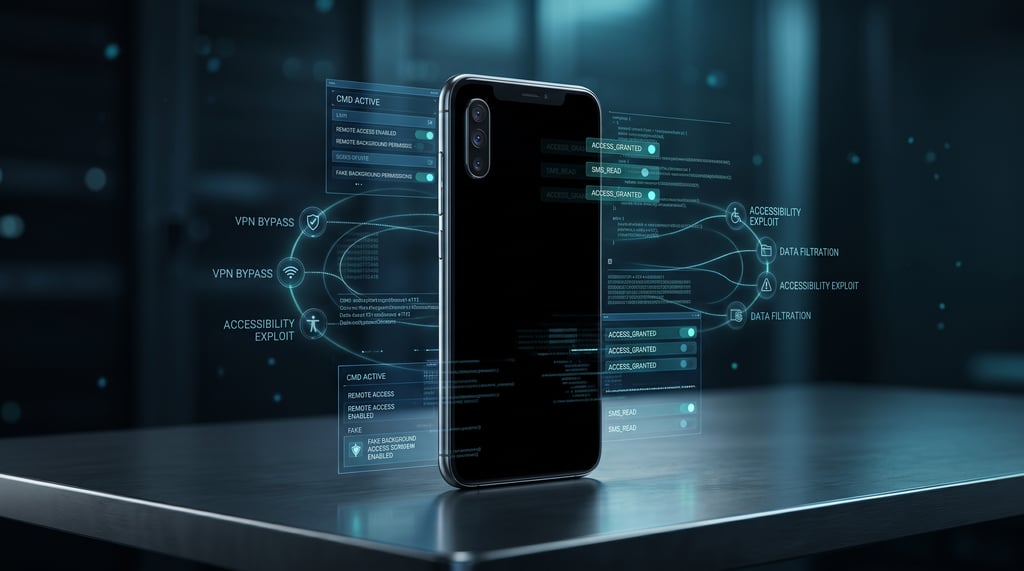
Your Android phone goes dark. You assume it's locked or switched off. But behind that black screen, an attacker could still be controlling your device and stealing sensitive information.
Security researchers at Zimperium have uncovered new capabilities in ArcticRAT, an Android malware family that uses black-screen overlays to conceal remote access, capture credentials, and monitor activity on infected devices. Once focused on cryptocurrency users, the malware has evolved into a broader surveillance and financial data theft threat.
The danger extends beyond personal banking accounts. An infected phone could also expose corporate credentials, authentication codes, and active work sessions, allowing attackers to compromise sensitive accounts without the device owner noticing anything unusual.
Fake Android apps give ArcticRAT access to smartphones
ArcticRAT initially targeted users of 11 cryptocurrency applications. In an investigation of 78 malware samples, Zimperium identified 42 installer apps and 36 malicious payloads, including versions impersonating Amazon, TikTok, and ordinary file managers.
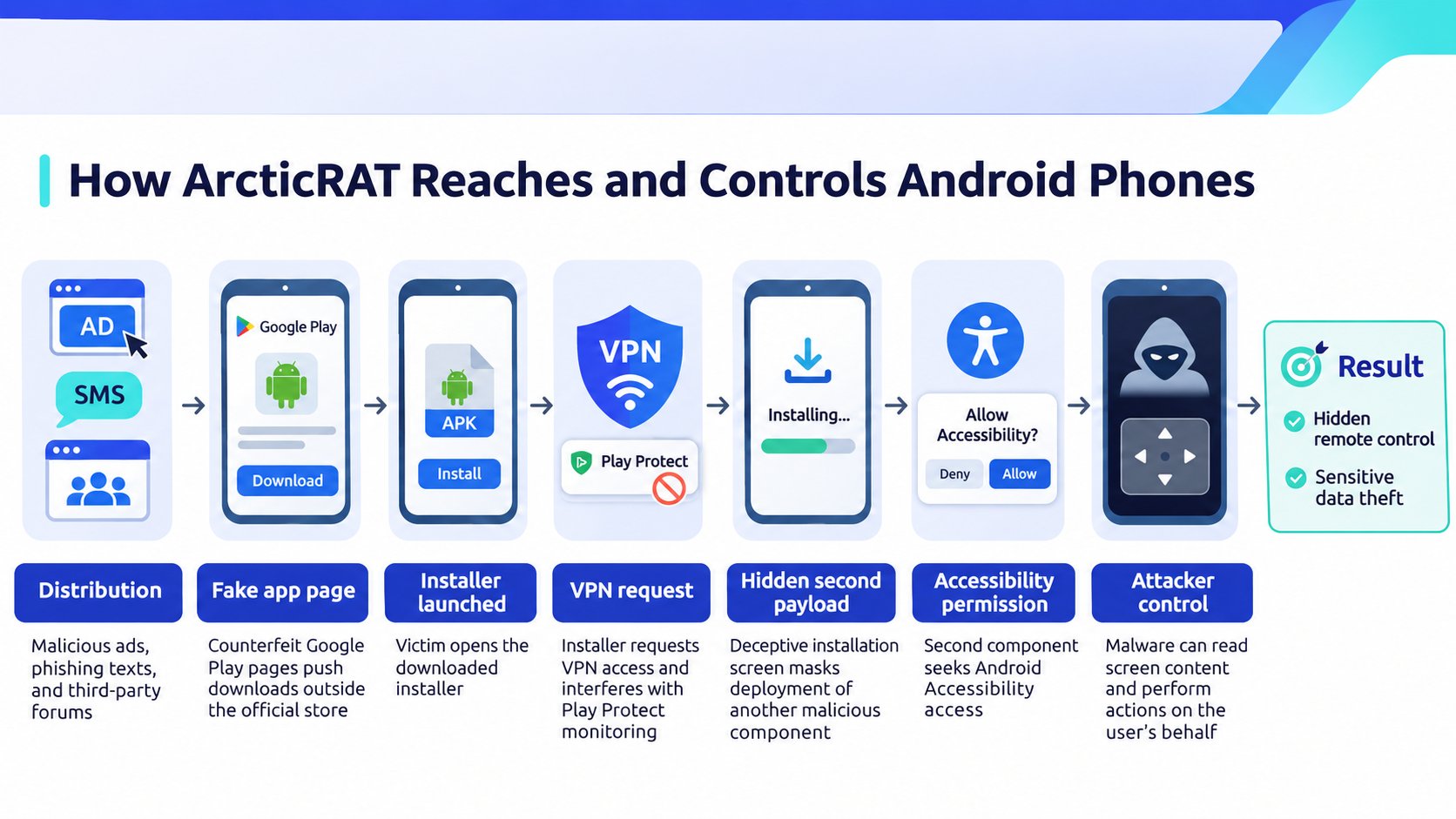
Attackers distribute these applications through malicious advertisements, phishing text messages, and third-party forums. Counterfeit Google Play pages encourage victims to download software outside the official app store.
Once launched, the installer requests VPN access and temporarily blocks network communications to interfere with Google Play Protect monitoring. A deceptive installation screen masks the deployment of a second malicious component, which seeks Android Accessibility permissions.
As seen with other Android banking trojans, granting these privileges allows malicious software to read screen content and perform actions on the user's behalf.
Black screens conceal remote control and financial data theft
The malware uses Hidden VNC to let attackers operate infected smartphones remotely. While navigating banking applications or approving system permissions, ArcticRAT covers the display with a black overlay and reduces brightness to zero. Victims may believe their phones are locked or powered off while unauthorized activity continues.
Researchers cataloged 129 attacker commands across the analyzed variants, including functions for collecting credentials and manipulating device security.
- Credential theft. Records keystrokes and displays counterfeit lock screens to capture device PINs, unlock patterns, and passwords.
- Surveillance. Collects screenshots and information entered into applications, including authentication details and private communications.
- Device manipulation. Abuses Android Wireless Debugging to validate stolen unlock codes or change screen-lock settings, potentially locking owners out of their devices.
Another capability uses xAI's Grok to examine information harvested from compromised phones. Researchers observed the AI model identifying installed financial applications and filtering stolen text messages for one-time security codes, account balances, and transfer notifications.
Results are stored locally before being retrieved by the attackers, reducing the need to review intercepted information manually.
Compromised employee phones threaten business account security
For enterprise security teams overseeing corporate-owned or employee-owned Android devices, ArcticRAT presents a risk to accounts accessed through those phones.
An attacker controlling an infected handset could intercept work-related verification messages or interact with applications where an employee is already signed in. Valid login credentials would not necessarily establish that the device itself remains trustworthy, but researchers have not confirmed enterprise intrusions involving the malware.
Organizations managing Android fleets should use mobile device management policies to restrict unauthorized installations and monitor suspicious permission changes where supported.
Examine unexpectedly enabled accessibility services and suspicious debugging activity, particularly on devices permitted to access sensitive business systems. Unmanaged personal phones without adequate security monitoring call for tighter access restrictions.
Suspected infections require immediate containment. Security teams should suspend corporate access from affected devices, revoke active sessions, and review recent authentication activity before restoring connectivity.
Any exposed credentials should be replaced from a trusted device, while high-risk accounts should move toward phishing-resistant multifactor authentication instead of relying on SMS codes.
Stronger authentication reduces exposure to intercepted messages, but it cannot secure an application session already accessible to malware on the phone.
More cybersecurity news: Pixel phones are receiving an early Android 17 update that addresses serious security vulnerabilities, including a flaw that could allow remote code execution without user interaction.