
















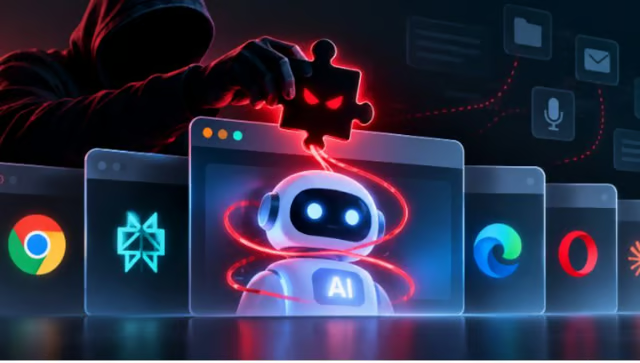


A malicious browser extension is already dangerous. An AI agent can make it more powerful.
Security researcher Gal Weizman demonstrated that possibility with BragJack, a proof-of-concept technique that manipulated AI assistants in Chrome, Edge, Perplexity Comet, Opera Neon, and Claude in Chrome. According to Aviatrix, the technique abuses communication paths those assistants trust, allowing an already-installed extension to feed attacker-controlled instructions into them.
Per Aviatrix’s report, the technique targets the communication paths the agents trust, allowing an already-installed extension to force commands into them.
The affected vendors have acknowledged the exploit, with two CVEs assigned (CVE-2026-0628 for Chrome and CVE-2026-55945 for Edge). Weizman also received a $20,000 bounty from all five vendors.
The broader risk is that an extension may be able to use an AI assistant as a bridge to capabilities it could not reach on its own, especially when that assistant can access files, websites, accounts, or other browser resources on the user's behalf.
How BragJack abuses trusted browser channels
The attack uses legitimate extension capabilities such as Chromium's declarativeNetRequest (DNR) API to carry out the abuse. Weizman found ways a malicious extension can manipulate network requests and trusted web resources around the AI assistants, creating a path for attacker-controlled instructions to reach them.
That matters because browser extensions and AI assistants operate with different levels of authority. An extension may be restricted from directly accessing certain resources, while an AI agent may already have permission to interact with webpages, local files, browser data, or other services for the user.
The approach was not identical across the five affected products, but the pattern was consistent: interfere with the communication channel to manipulate the AI.
In Chrome, this involved manipulating requests associated with Gemini and reaching its privileged AI component. In Perplexity Comet, the attack abused trusted Perplexity domains, while Edge's weakness involved a race condition that could bypass a restriction between its "Think" and "Do" modes. Similar hijacking paths were demonstrated in Opera Neon and Claude in Chrome.
Once that connection was established, the researchers could make the assistants act on instructions supplied through the compromised pathway. The demonstrated impact varied by product, ranging from access to local files, browser data, and screenshots to camera and microphone access.
The attack still has a clear prerequisite: the malicious extension must already be installed on the victim's browser. But after installation, the demonstrations required no additional victim interaction, showing how an extension with limited privileges could potentially use an AI assistant as a bridge to capabilities far beyond its own permissions.
Agentic browsers at a higher risk
The risk becomes more pronounced when the compromised assistant is an agent rather than a text-generating assistant. Agentic browsers are designed to take actions for users, often with access to websites, files, accounts, and other resources the user has already authorized.
That means a hijacked agent can potentially do more than expose information. An attacker could instruct it to open a site, retrieve information from a logged-in account, read or summarize messages, move through a multi-step workflow, or submit an action on the user's behalf.
In the Comet demonstration, for example, the researchers used the compromised agent to access a victim's emails, summarize their contents, and send the results to another address.
Now imagine an agent that can work across multiple services in the same browser session.
A user may have already authenticated to email, cloud storage, business applications, or other websites, and the agent may be designed to interact with those services without requiring a new login for every action. If an attacker can control that agent, those existing sessions can become part of the attack path.
What does this mean for users?
BragJack should not be a reason to stop using AI browsers, especially if these AI agents help you get more work done. It is, however, a reminder that installing an extension is no longer just a decision about what that extension itself can access.
The first line of defense is still the extension itself. Only install extensions you have thoroughly vetted, and remove the ones you no longer use. Web browsers typically allow users to review and restrict an extension's access to websites, so an extension that doesn't need access across every site shouldn't automatically have it.
It is also worth separating sensitive work from everyday browsing when using an agentic browser. If an AI assistant can interact with your browser, keeping banking, healthcare, work, or other sensitive accounts in a separate browser profile limits what the agent can reach if something goes wrong.
Finally, be more cautious about giving an AI agent permission to carry out consequential actions. Reading a webpage or summarizing information carries a different risk from sending an email, changing an account setting, or submitting a transaction.
The broader lesson is not that AI browsers are inherently unsafe. It is that the more authority an AI agent receives, the more important it becomes to control which extensions, webpages, and other inputs are allowed to influence it.
Other news: CrowdStrike linked PhantomRaven malware to a self-described bug bounty hunter who allegedly used malicious npm packages to steal developer credentials and uncover vulnerabilities that could later be submitted for bug bounty rewards.