

















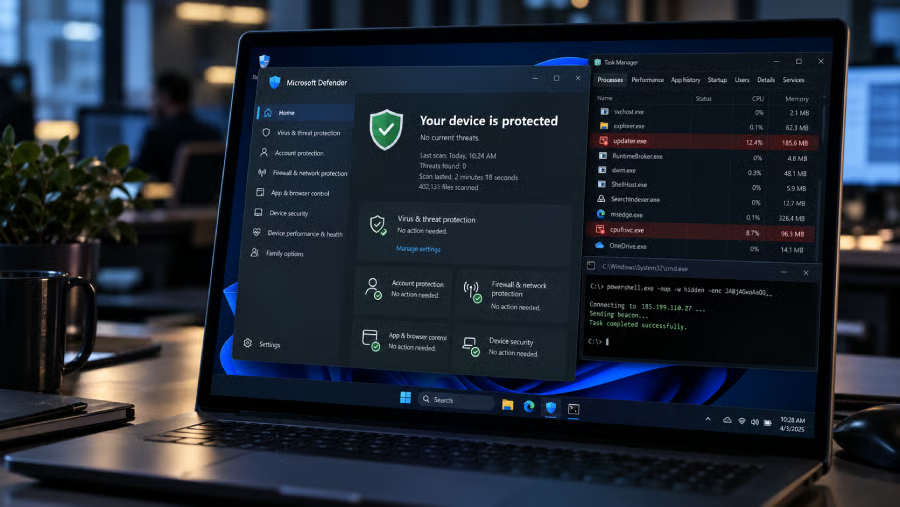
Attackers who gain administrator access to a Windows system do not necessarily need to disable Microsoft Defender to keep malware out of its scans. They can instead abuse Defender’s own exclusion settings to create locations the antivirus has been told to ignore.
Huntress researchers found attackers using Defender exclusions more often than expected. The technique requires administrator privileges or higher, meaning attackers first need elevated access to a Windows system before they can make those changes.
The technique does not provide attackers with initial access, but it can help malware remain hidden once a Windows system has already been compromised.
Legitimate scan settings can create blind spots
Microsoft Defender lets administrators exclude certain file paths and extensions from antivirus scanning. Separate controls can also exempt processes and some IP addresses.
Path and extension exclusions were the two types researchers identified as especially useful to attackers. Once added, matching files or locations can be skipped by real-time protection and scheduled or on-demand scans, allowing malware to remain in places Defender has been told to ignore. Similar gaps can weaken the antivirus protection organizations expect from an endpoint.
Attackers can add exclusions through PowerShell or WMI, using the same management paths available to administrators. Direct changes to Defender's standard exclusions registry key are blocked, but the Group Policy-backed exclusions key can be edited directly. Changes made through that route take effect after a reboot.
Earlier campaigns show the technique has been used before. Huntress cited GootKit, WhisperGate, and Muddled Libra among the threats that have abused Defender exclusions.
A second setting can hide the exclusions
Microsoft documents HideExclusionsFromLocalAdmins as a Defender policy that keeps local administrators from seeing exclusions through Windows Security or PowerShell. An attacker with enough privileges can enable it after adding malicious exclusions.
PowerShell stopped listing the exclusions after researchers turned on the setting. Checks running with SYSTEM-level access also failed to show them. Administrators can still find the underlying registry values, so the setting hides exclusions from normal Defender tools instead of removing them.
Researchers monitor the registry because Defender exclusion changes are ultimately recorded there, no matter which method an attacker uses to create them. Their monitoring also watches for changes to the hiding setting, giving endpoint detection and response tools another chance to catch suspicious activity when Defender's usual checks do not show it.
Huntress also looks for exclusions tied to known malicious programs and unusually broad locations. Examples include the entire C:\ drive and user-writable folders such as Temp and Downloads, which can give attackers convenient places to stage files outside normal scanning.
Windows teams should verify Defender exclusion settings
If you manage Windows endpoints, keep a clear record of which exclusions are approved and investigate new ones that do not match it. Unexpected or overly broad additions should be treated as security-sensitive changes, particularly when they appear on a system that has already shown other signs of compromise.
Elevated access is the entry point for this technique. Reducing permanent local administrator access limits what an attacker can change after compromising an account or device. Organizations whose users genuinely need higher privileges can use privileged access management or temporary elevation instead of leaving administrator rights available all the time.
Microsoft says tamper protection can protect centrally managed antivirus exclusions when the required settings are enabled. Teams should check that those protections actually apply to their environment rather than assume every exclusion is covered automatically.
More cybersecurity news: RedFlick abuses legitimate Windows features to execute malware and maintain access without relying on a clearly malicious executable.