

















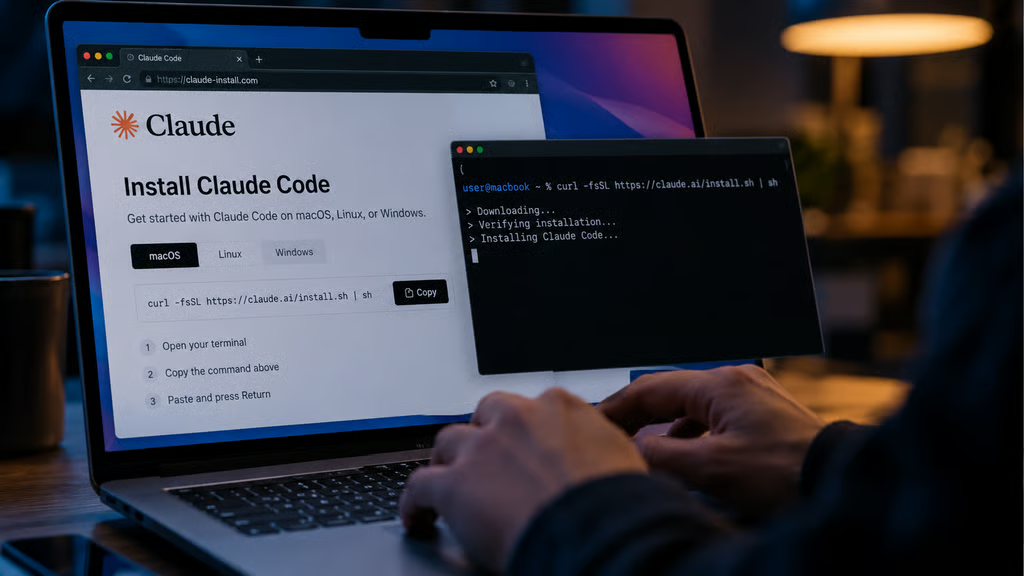
A fake Claude Code installation page can show Mac users one command while secretly copying another, turning a routine software setup into a potential malware infection.
Security researchers at Push Security uncovered a campaign that used sponsored Google search results to direct users looking for Claude Code toward a fraudulent installation page. The attackers routed visitors through familiar web services and a compromised website before presenting the malicious instructions.
The deception went beyond the page's appearance. Its Copy button placed attacker-controlled code on the clipboard, potentially exposing users who pasted and ran the command in Terminal.
Redirect chain hides the real destination
Researchers traced the entry point to a paid result shown for the search term “claude mac.” Rather than displaying an unfamiliar destination, the ad showed bing.com, giving users a recognizable domain before they clicked.
Google ad → Bing click tracker → compromised retailer → fake Claude page
Traffic passed through Google's advertising system and Bing's normal click-tracking service before reaching a legitimate retailer's compromised website. Selected visitors were then forwarded to the imitation Claude page. Push Security believes the attackers used a real Bing search result for the compromised site as part of the ad setup.
Visitors also had to arrive through the expected route. Browser information and referral data helped determine who saw the malicious content, while direct visits could return a 404 page. Other macOS ClickFix campaigns have used browser-based cloaking to keep malicious pages away from automated checks.
Copied command hides attacker-controlled code
Claude Code normally requires Mac and Linux users to run an installation command from Terminal, making the basic interaction less likely to raise suspicion.
Fake installation pages exploited that behavior. Users saw a legitimate-looking Claude command on screen, but clicking the Copy button placed different text on the clipboard. Pasting it into Terminal therefore executed code that was not visible on the page.
Pasted code printed a legitimate Claude address before decoding an attacker-controlled location. It then used curl to retrieve a remote .dat file and passed the content directly into zsh for execution.
Several connected domains used the same installation interface and command structure. Earlier fake Claude Code install pages also targeted people looking for the AI coding tool through malicious search advertising. Push Security has not identified the final malware family delivered in the newer October chain.
Mac users and security teams should treat terminal installs as code execution
Employees who install AI tools on company Macs can give attackers a direct path to the shell if they copy commands from an untrusted page. Security teams can reduce that risk by controlling where software comes from and knowing what to check when a suspicious command has already been run. The following steps cover both prevention and response.
- Give employees an approved installation path. Direct users to vendor documentation or managed software catalogs instead of asking them to find installers through search. Similar fake ChatGPT support lures have used normal-looking terminal instructions to get malicious code onto Macs.
- Treat copied terminal commands like downloaded software. Users should verify commands against official documentation before running them, especially when a website asks them to paste code into Terminal.
- Investigate devices that ran the fake command. Anyone who followed the malicious Claude instructions should report it to their security team and treat the Mac as potentially compromised until it has been reviewed. Defenders should check browser history, shell history, endpoint telemetry, and network activity against the domains and command patterns published by researchers.
- Watch for suspicious shell execution. Remote content in this campaign was passed directly into zsh, so an investigation focused only on downloaded .dmg files or application installers could miss relevant activity. Controls around unusual curl or shell behavior can provide another opportunity to catch similar attacks.
The campaign highlights how attackers can exploit familiar search results and legitimate-looking installation instructions to reach Mac users. Organizations should treat software installation commands as executable code, not routine website content, and investigate devices that may have run the malicious instructions.
More AI news: Anthropic is extending its AI security research into a free scanning service for open-source software used across critical infrastructure and enterprise systems.