
















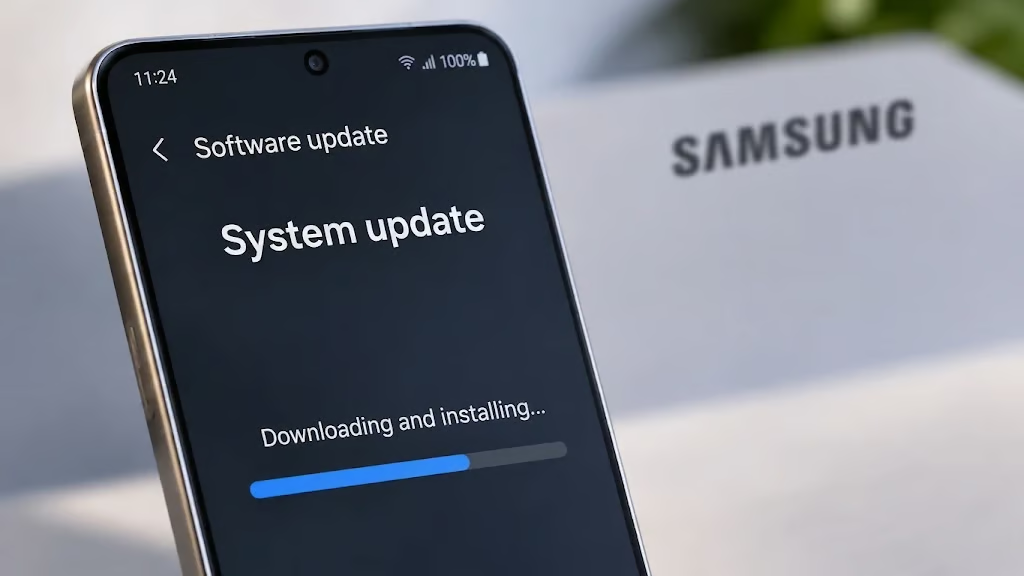
Your Samsung Galaxy phone could be missing important security fixes, including patches for vulnerabilities that could allow attackers to execute malicious code, access sensitive information, or perform unauthorized actions.
Samsung published its November 2026 security bulletin on Nov. 3, outlining fixes for vulnerabilities affecting Android, Galaxy-specific software, and device components. The update includes critical Android security vulnerabilities, as well as Samsung-specific flaws affecting the bootloader, camera software, Messages, and Contacts.
For Galaxy owners, the immediate question is whether their phone has received the latest protection. For businesses managing Samsung devices, the concern extends further: An unpatched phone could expose sensitive information or create another potential entry point into corporate systems.
- Samsung's November update addresses Android and Galaxy security vulnerabilities
- Critical Android flaw could allow remote code execution
- Which Samsung-specific vulnerabilities are most concerning?
- Which Samsung Galaxy phones need the November update?
- How to check whether your Galaxy phone has received the latest security fixes
- What businesses using Samsung devices should do now
- Does installing the November update eliminate the risk?
- What Galaxy users should watch for next
Samsung's November update addresses Android and Galaxy security vulnerabilities
Samsung's official November security bulletin identifies 24 Samsung-specific security items and four high-severity semiconductor vulnerabilities, alongside patches from Google's November Android Security Bulletin.
The company also distinguishes between Google vulnerabilities addressed in the November maintenance release, issues already patched in previous updates, and vulnerabilities that do not apply to Samsung devices. These distinctions matter because published vulnerability totals can vary depending on how researchers and news organizations count the issues.
Some reports include vulnerabilities already addressed in earlier updates, while others separately count issues across Android, Samsung software, and hardware components.
Consequently, a single aggregate figure should not be interpreted as the number of newly exploitable vulnerabilities affecting every Galaxy device.
Actual exposure depends on the device model, Android version, hardware components, and previously installed security updates.
Still, the November bulletin includes several serious weaknesses that Galaxy owners and IT administrators should understand.
Critical Android flaw could allow remote code execution
One of the most concerning issues involves Android's Framework component.
Google's November 2026 Android Security Bulletin identifies a critical vulnerability that could allow remote code execution without requiring additional execution privileges or user interaction.
Remote code execution can potentially allow an attacker to run malicious instructions on a vulnerable device. The consequences depend on the affected component, the attacker's capabilities, and the security protections in place.
Google explains that its severity assessment assumes certain platform and service protections are disabled or successfully bypassed. The bulletin does not establish that attackers are actively exploiting the vulnerability. Nevertheless, the potential for remote exploitation makes the issue particularly important.
Unlike attacks that require physical access to a phone, certain remote vulnerabilities may be exploited without the owner directly interacting with malicious content.
For Galaxy owners, this is a strong reason to install available updates promptly, even when the phone appears to be functioning normally.
Which Samsung-specific vulnerabilities are most concerning?
Samsung's November bulletin also identifies weaknesses affecting components and applications found on Galaxy devices.
Some involve improper authorization or access controls. Others concern memory handling and could potentially allow attackers to execute code.
Several notable vulnerabilities include:
Vulnerability | Severity | Affected component | Potential impact |
|---|---|---|---|
| CVE-2026-21155 | High | Bootloader | A physical attacker could write data outside an intended memory boundary |
| CVE-2026-21152 | High | Camera library | A local attacker could potentially execute arbitrary code; user interaction is required |
| CVE-2026-21153 | High | Samsung software library | A local attacker could execute arbitrary code through a stack-based buffer overflow |
| CVE-2026-21148 | Moderate | Samsung Messages | A local attacker could access sensitive information through an authorization weakness |
The three high-severity vulnerabilities involve memory handling or input validation issues, while the moderate-severity Samsung Messages flaw concerns improper authorization.
Their exploitation requirements are important. For example, the bootloader vulnerability requires physical access by an attacker. The camera-library vulnerability requires local attacker access and user interaction. Neither should be mistaken for a confirmed attack capable of remotely compromising any Galaxy phone.
Samsung also describes Contacts-related vulnerabilities that could allow local attackers to initiate calls without the necessary permissions. These moderate-severity issues affect certain Contacts widgets and application components. Samsung addressed them by removing unused code or strengthening access controls.
For users, these findings illustrate how security vulnerabilities can affect ordinary phone functions, including messaging, calling, and media processing. However, Samsung's bulletin does not establish that these specific vulnerabilities are being actively exploited.
The company has also faced scrutiny over device security through independent research. During October's Pwn2Own competition, researchers successfully exploited the Galaxy S26 multiple times.
Those findings are separate from November's security bulletin, but they demonstrate why even relatively new smartphones require continued security testing and updates.
Which Samsung Galaxy phones need the November update?
Not every Galaxy phone is affected by every vulnerability, and not every model receives security updates on the same schedule.
Samsung identifies affected Android versions for individual vulnerabilities, with several November fixes applying to software running Android 14, 15, 16, or 17.
That does not mean every phone using those Android versions contains every affected component. Device hardware, manufacturer software, and previously installed patches also determine whether a particular vulnerability applies. Samsung distributes security updates according to device eligibility and regional availability.
The company cautions that update delivery can vary by model and region. Some chipset-vendor patches may also arrive in subsequent update packages rather than the initial monthly release. That means two Galaxy owners may receive November security fixes at different times.
Samsung's security update scope identifies devices scheduled for monthly, quarterly, and other security update intervals.
Owners of older phones should pay particular attention to these schedules.
As eSecurity Planet previously reported, changes to Samsung Galaxy security support can mean that older models receive fewer patches or eventually lose regular security coverage.
For someone using a Galaxy phone to access banking applications, company email, or sensitive personal information, ongoing security support should be a consideration when deciding whether to replace the device.
How to check whether your Galaxy phone has received the latest security fixes
Samsung Galaxy owners should check for available software updates rather than assuming their devices have automatically received November's patches.
Follow these steps:
- Open Settings. Navigate to Software update.
- Check for updates. Select Download and install to search for available software updates.
- Install available patches. Follow the prompts and restart the device if required.
- Review the security patch level. Open Settings, select About phone, then Software information, and locate the Android security patch level.
- Check the support schedule. If no update appears, verify whether the model receives monthly or quarterly security updates.
Users should also understand that Google publishes two Android security patch levels for November 2026.
Nov. 1, 2026: Devices reporting this patch level must address the vulnerabilities associated with the Nov. 1 patch level and previous Android security bulletins.
Nov. 5, 2026: Devices reporting this patch level must address all applicable vulnerabilities associated with both November patch levels and earlier Android security bulletins.
Google confirms that an Android security patch level of Nov. 5, 2026, or later addresses all applicable issues described in its November Android bulletin. However, that date alone does not necessarily prove every Samsung-specific or chipset-vendor vulnerability has been addressed.
Samsung identifies its November security maintenance release as SMR Nov-2026 Release 1. The designation identifies the maintenance release and its associated security fixes. It does not mean the package has already reached every supported Galaxy phone.
Samsung states that update availability varies by model and region. It also warns that some device-specific chipset patches may be delivered in subsequent packages. On supported devices, Samsung's security index can be found under Security software version.
Users should consider both the Android security patch level and Samsung's applicable update information when determining whether their devices have received the latest fixes.
If November's update is not yet available, the phone may be awaiting a regional rollout or following a different update schedule. But if a device no longer receives security support, continuing to use it for sensitive activities may create avoidable risks.
What businesses using Samsung devices should do now
For organizations, mobile security updates are about more than keeping employees' phones up to date.
Smartphones frequently provide access to corporate email, cloud applications, internal documents, authentication services, and business communications.
If attackers compromise a device, the potential consequences could extend to the systems and information accessible through it.
IT and security teams should prioritize several actions:
- Identify Samsung devices used for work. Review company-issued phones and personally owned devices authorized to access corporate systems.
- Check patch compliance. Use mobile device management tools to identify phones running outdated security patches.
- Prioritize sensitive accounts. Pay particular attention to devices used by administrators, executives, and employees with access to confidential information.
- Review support eligibility. Determine which models continue receiving security updates and which may need replacement.
- Enforce appropriate access policies. Consider restricting sensitive corporate access from devices that fall below the organization's approved security baseline.
Administrators should also distinguish between devices awaiting an expected update rollout and devices that are no longer supported. A phone on a quarterly update schedule may legitimately have an older patch date than one receiving monthly updates.
Organizations should evaluate that difference alongside the device's risk profile and the sensitivity of the information it can access.
Security teams should also remember that vulnerabilities can affect manufacturer applications and supporting software, not just Android itself.
Earlier this year, eSecurity Planet reported on four Samsung Smart Switch vulnerabilities that could expose sensitive information. That reinforces the need to consider the full mobile software environment when evaluating security risks.
Does installing the November update eliminate the risk?
Installing the latest applicable security update reduces exposure to vulnerabilities addressed by that release, but it cannot eliminate every possible security threat. Attackers can still target users through phishing, malicious applications, stolen credentials, social engineering, and undiscovered vulnerabilities.
Galaxy owners should continue to use strong screen locks, keep applications updated, review app permissions, and avoid downloads from untrusted sources.
Businesses should combine patch management with mobile access controls, device monitoring, and policies for handling lost, compromised, or unsupported phones.
What Galaxy users should watch for next
Samsung's November 2026 bulletin identifies security issues the company is addressing, but the availability of fixes will continue to depend on individual devices and rollout schedules.
For Galaxy owners, the immediate priority is to check the installed security patch level and apply the latest available update.
For businesses, the next step is to identify devices that remain unpatched, determine whether those delays are expected, and determine whether unsupported hardware needs to be replaced.
The bottom line is straightforward: A published security fix offers little protection until it reaches the vulnerable device. Checking for updates today is a simple step that could prevent a much more complicated security problem tomorrow.
Related reading: For a closer look at Google's latest Android security fixes, see eSecurity Planet's report on 216 Android vulnerabilities addressed in November, including critical remote code execution flaws affecting smartphones.